Featured Products Management
Overview
Featured Products are a group of products given display priority on the website to:
- Attract customer attention
- Increase conversion rates
- Promote best-selling or strategic products
The Featured Products Management feature allows administrators to:
- Add or remove products from the featured list
- Enable / disable display status
- Arrange product display order
Accessing the Feature
From the left menu, navigate to:
Products → Featured Products
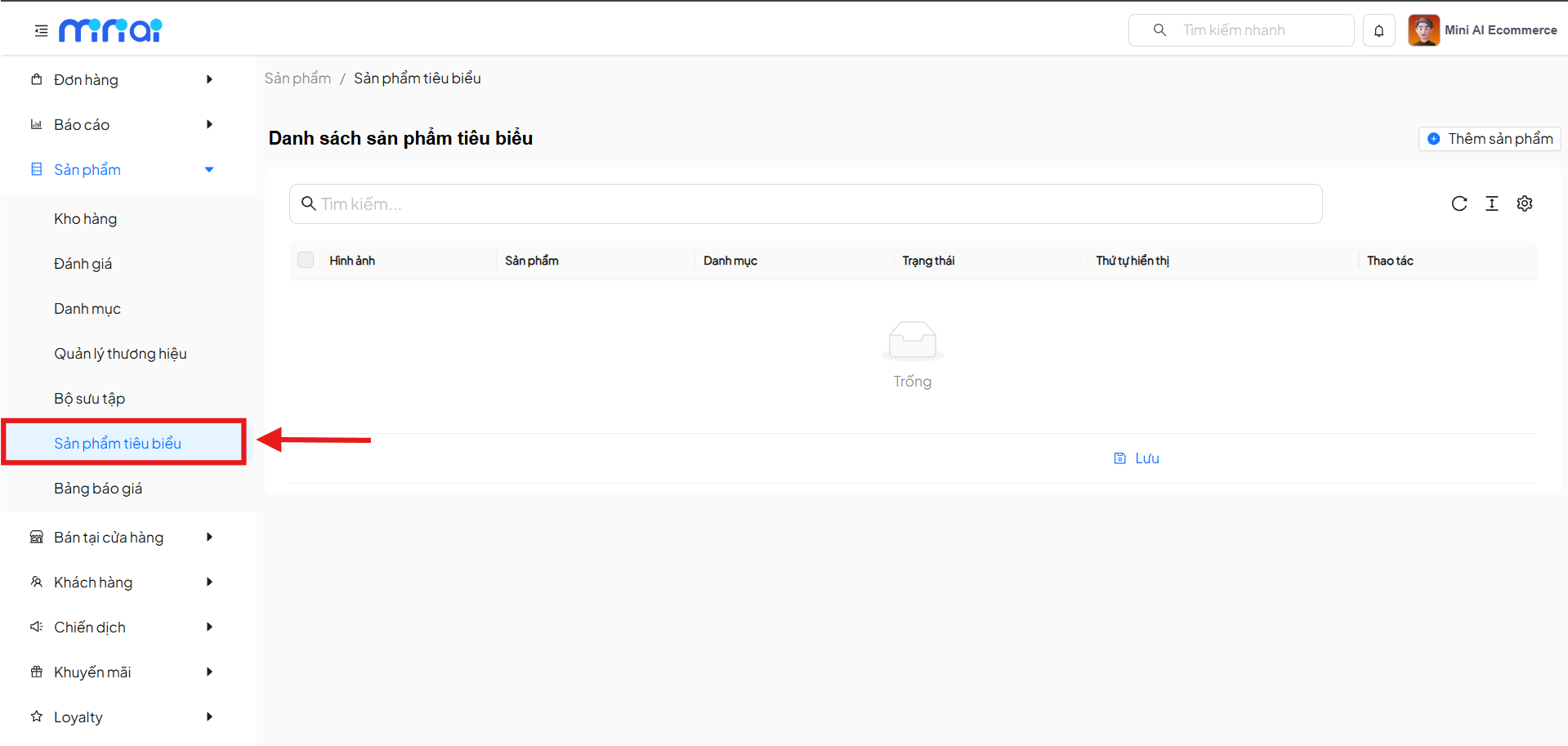
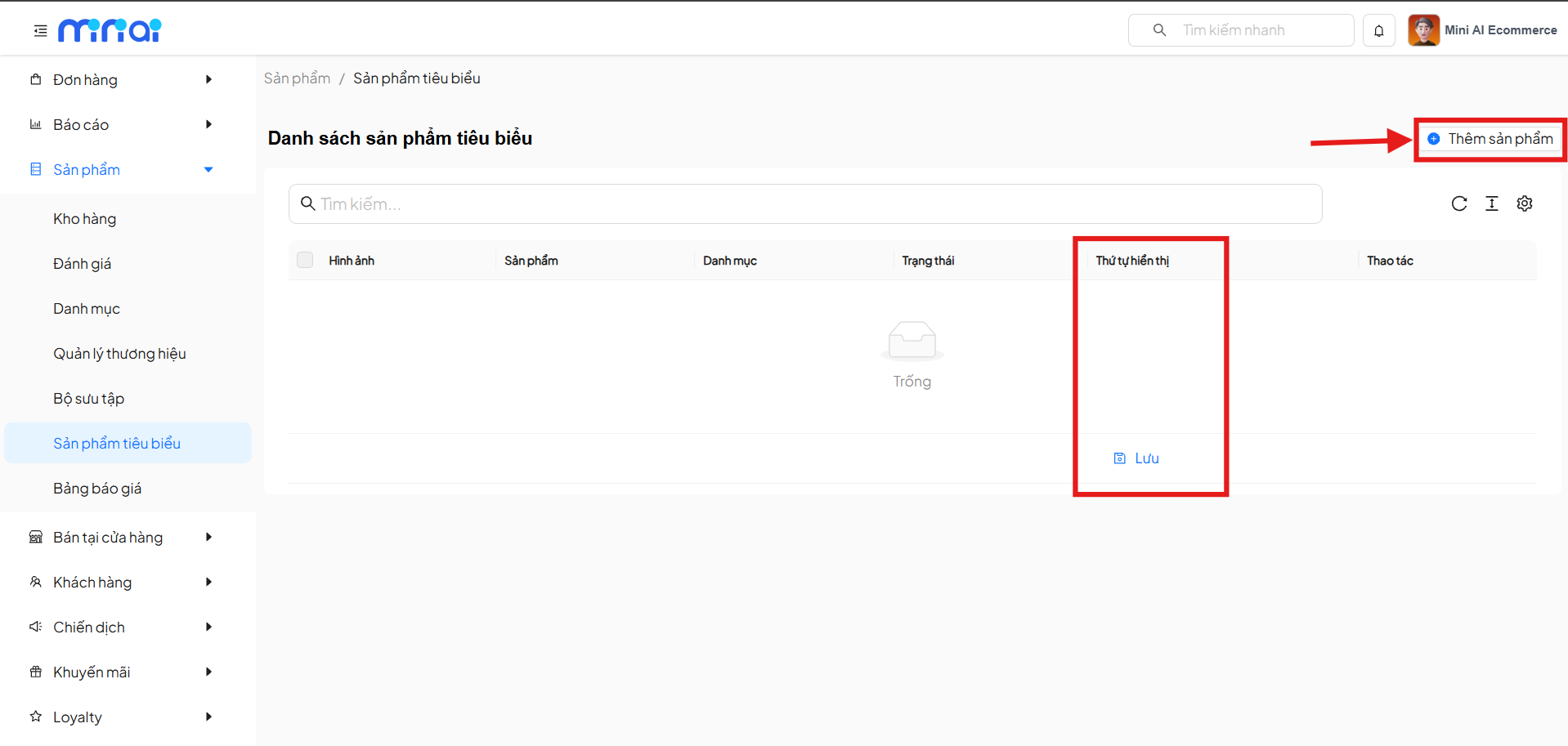
Featured Products List Interface
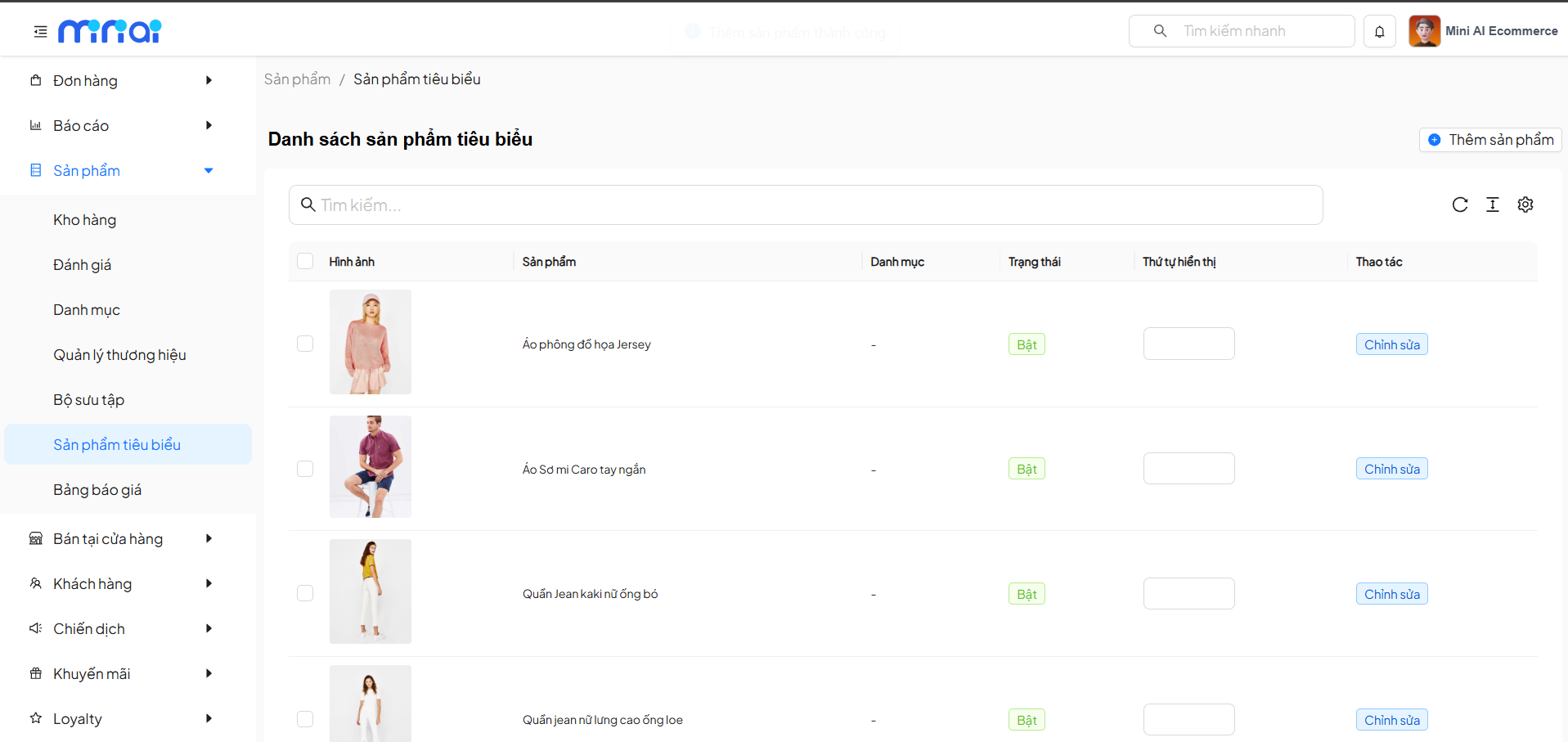
The Featured Products List screen displays the following information:
| Column | Description |
|---|---|
| Image | Product representative image |
| Product | Product name |
| Category | Product category (if applicable) |
| Status | Display status: On / Off |
| Display Order | Sort position on the website |
| Action | Edit product information |
If there are no products yet, the system will display an Empty status.
Add Products to the Featured List
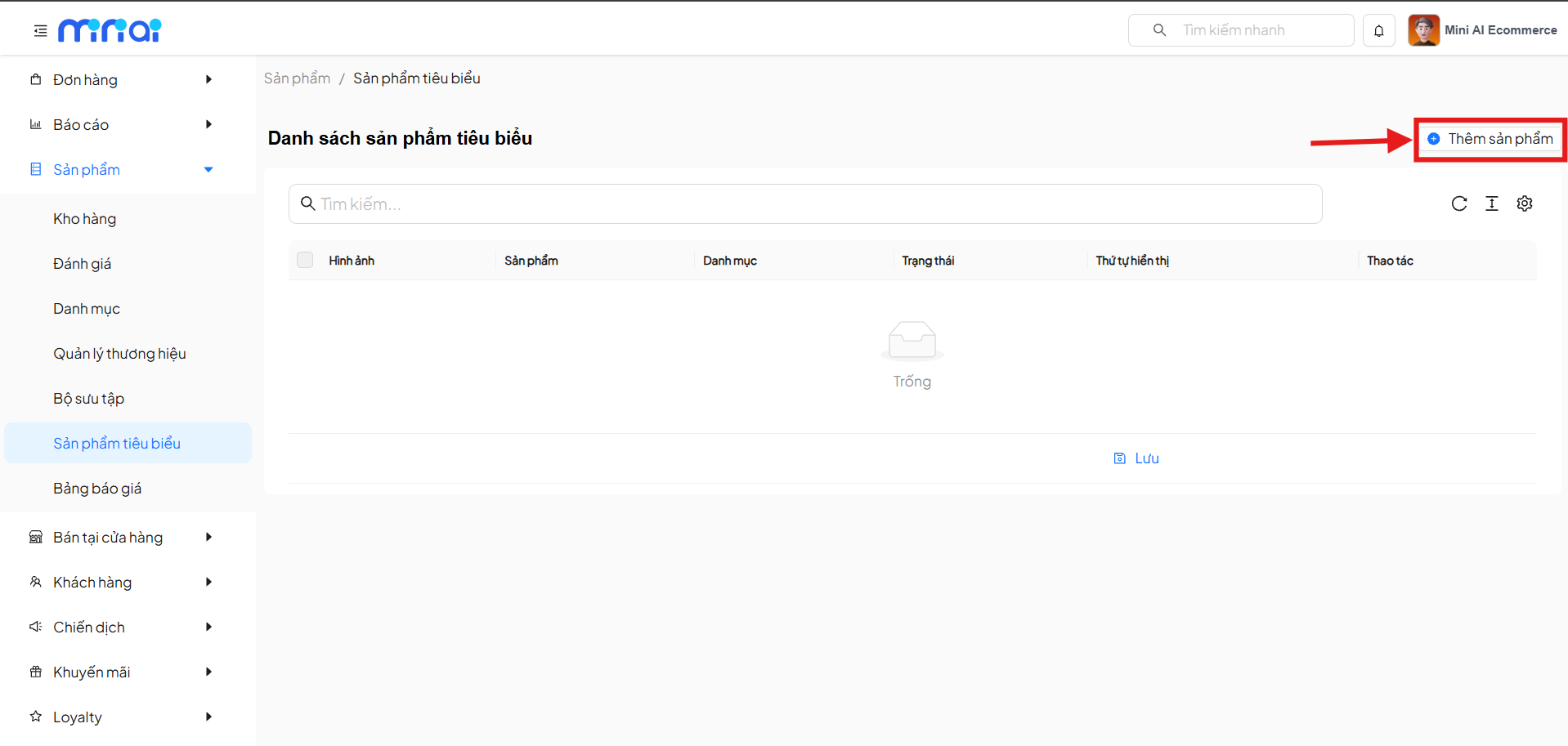
Step 1: Open the Add Product Form
On the Featured Products List screen, click the button:
Add Product
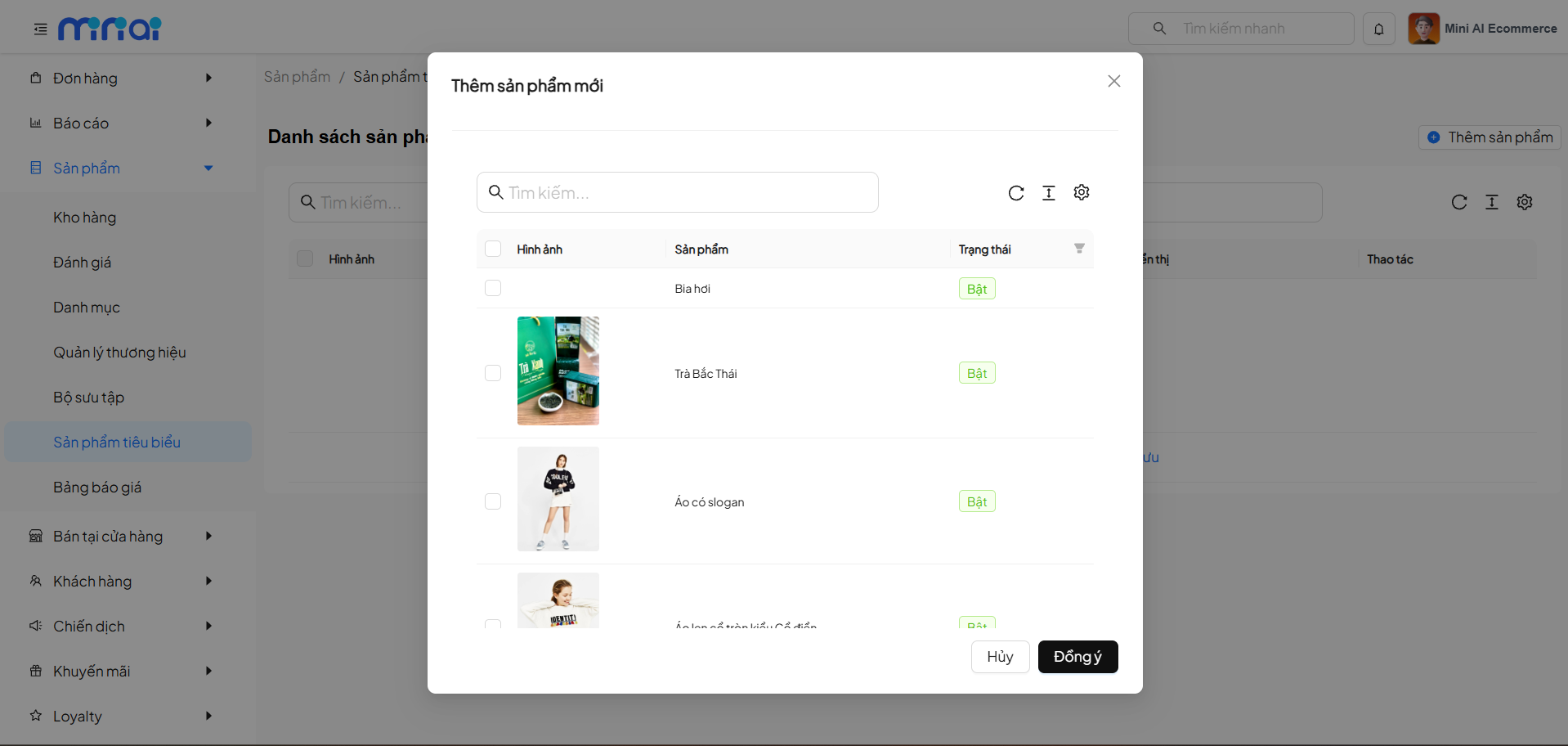
Step 2: Select Products
The system displays the Add New Product popup, including:
- Product search bar
- List of existing products
- Checkbox to select one or multiple products
- Product status (On/Off)
Step 3: Confirm
- Select the products to add to the featured list
- Click Confirm to proceed
- Click Cancel if you don't want to add
After confirmation, the products will appear in the featured products list.
Display Order Arrangement
The Display Order column allows:
- Entering a display sequence number for each product
- Smaller numbers will be displayed first on the website
After editing the order, click Save to apply changes.
Display Status Management
- On: Product is displayed in the featured products area
- Off: Product is hidden from the display area
Status can be changed directly from the list.
Save Changes
After:
- Adding products
- Changing display order
- Updating status
Click Save for the system to record and apply changes.
Usage Notes
- Choose products with attractive images and complete content
- Avoid selecting too many featured products to prevent content dilution
- Display order directly affects user experience
Frequently Asked Questions (FAQ)
Do featured products affect inventory?
No. This feature only affects display, not inventory or pricing.
Can multiple products be selected at once?
Yes. The system supports selecting multiple products in the add popup.
Will disabled products be displayed?
No. Only products with On status will be displayed on the website.
Conclusion
The Featured Products Management feature helps businesses:
- Highlight strategic products
- Optimize the shopping experience
- Increase sales effectiveness
Use this feature regularly to update featured products according to each business campaign.